
 LMS
LMS
 Reels Series
Why Is My Phone Charging Port Not Working, and How Can I Fix It?
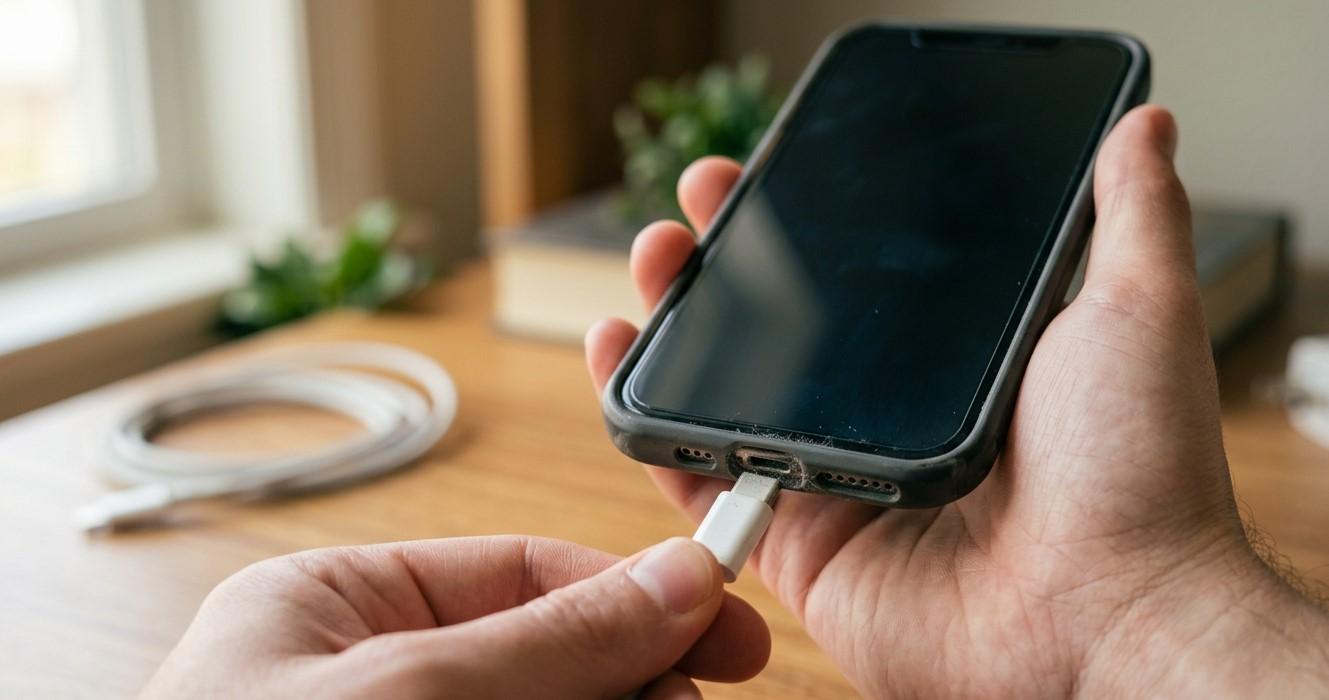
A phone that refuses to charge can quickly become a frustrating problem, especially when you depend on it for communication, work, and everyday activities. Sometimes, the cause is as simple as a faulty cable or dust inside the charging port. In other cases, the issue may involve damaged connectors, software glitches, or liquid exposure. Nanotech Mobile helps users explore smartphone repair options, while services such as Apple Watch repair Regina and water damage phone repair Regina address other common electronic device problems. Understanding why your charging port is not working can help you choose a safe, cost-effective solution.
Table of Contents
-
Common Reasons Your Phone Charging Port Stops Working
-
How to Fix a Phone Charging Port
-
When Should You Seek Professional Repair?
-
How to Prevent Charging Port Problems
-
Frequently Asked Questions
-
Contact NanoTech Mobile
1. Common Reasons Your Phone Charging Port Stops Working
Dust and Debris Inside the Port
Pocket lint, dust, and small particles can accumulate inside the charging port over time. This buildup may prevent the charging cable from connecting properly, causing intermittent charging or a loose connection.
Possible solution: Inspect the port under good lighting. Avoid inserting pins, needles, or other sharp objects, which can damage the internal contacts.
A Faulty Charging Cable or Adapter
Sometimes, the charging port is working correctly, but the cable or power adapter is damaged. Frayed cables, worn connectors, and incompatible accessories can prevent your phone from charging.
Possible solution: Try a compatible cable and adapter that you know work with another device. Avoid damaged accessories.
A Loose or Damaged Charging Port
Frequent plugging and unplugging, pulling the cable at an angle, or accidental drops can damage the port. You may notice that charging starts and stops when the cable moves.
Possible solution: Stop moving or forcing the connector to maintain a charge. A technician can inspect the port and determine whether repair or replacement is needed.
Moisture or Water Damage
Liquid exposure can interfere with charging and cause corrosion or short circuits. Some phones display a moisture warning when liquid is detected in or near the charging connector.
Possible solution: Disconnect the cable immediately. Do not charge the phone until it is safe to do so, and follow the manufacturer's drying instructions. Avoid rice, direct heat, and inserting objects into the port.
Software Glitches
Temporary operating system errors can occasionally interfere with charging indicators or power management.
Possible solution: If there are no signs of liquid exposure, overheating, or physical damage, restart your phone and check for official software updates.
Battery or Internal Hardware Problems
A phone may fail to charge because of a deteriorating battery or a fault in its internal charging circuitry rather than the port itself.
Possible solution: If a working cable and adapter do not solve the problem, professional diagnosis can help identify the actual cause.
2. How to Fix a Phone Charging Port
Follow these troubleshooting steps in order:
-
Check your accessories: Test a compatible, working charging cable and adapter.
-
Inspect the charging port: Look for visible debris, damage, or moisture without inserting tools.
-
Restart your phone: This may resolve temporary software issues.
-
Allow the phone to cool: If the device is hot, disconnect it and let it cool naturally before trying again.
-
Follow moisture warnings: If liquid is detected, disconnect the cable and follow your phone manufacturer's guidance. Do not attempt to charge a wet device.
-
Arrange a repair if necessary: If charging remains unreliable, have the charging port, battery, and internal circuitry inspected.
Never force a charging cable into the port or attempt to scrape away debris with metal objects.
3. When Should You Seek Professional Repair?
Seek professional assistance if your phone only charges at certain angles, the port feels loose, the connector appears damaged, or the device does not respond to known-working charging accessories.
You should also seek help after liquid exposure, particularly if charging problems appear afterward. Stop using or charging the phone if it becomes unusually hot, smells unusual, or shows signs of battery swelling.
Nanotech Mobile is a starting point for exploring smartphone repair options in Regina. A technician can inspect the connector, test the battery, and check internal charging components before recommending a repair.
Other electronics require specialized troubleshooting as well. Apple Watch repair Regina relates to smartwatch issues, while water damage phone repair Regina focuses on diagnosing and addressing problems caused by liquid exposure. The appropriate solution depends on the device and the extent of the damage.
4. How to Prevent Charging Port Problems
Protect your phone's charging port with these simple habits:
-
Keep your phone away from dust, moisture, and liquids.
-
Use compatible, reputable charging accessories.
-
Insert and remove the cable gently.
-
Avoid pulling the cable sideways while charging.
-
Do not charge your device when the port is wet.
-
Keep the phone's charging area clean without inserting sharp tools.
-
Address loose connections before further damage occurs.
These habits can reduce wear and help extend your device's useful life.
5. Frequently Asked Questions
Why is my phone not charging even when I plug it in?
Possible causes include a faulty cable, damaged adapter, debris in the port, battery problems, software errors, or a damaged charging connector.
Can I clean my phone's charging port myself?
You can inspect the port visually, but avoid sharp tools, liquids, and force. If debris is packed inside or you are unsure how to remove it safely, seek professional assistance.
How do I know if my charging port is damaged?
Common signs include a loose connection, intermittent charging, a connector that will not fit correctly, or failure to charge with known-working accessories.
Can water damage stop a phone from charging?
Yes. Liquid can interfere with the connector and damage internal components. Disconnect the charger and seek appropriate guidance before attempting to charge the device again.
Does a faulty charging port always need replacement?
No. The problem may come from the cable, adapter, debris, or another internal component. Proper diagnosis helps determine whether cleaning, repair, or replacement is appropriate.
6. Get Help With Your Phone
A phone charging port that stops working does not always require an expensive repair. Checking your accessories and following safe troubleshooting steps may resolve simple issues, but persistent problems deserve professional attention.
For smartphone repair information in Regina, contact Nanotech Mobile. Whether you need help diagnosing a charging issue, are researching Apple Watch repair Regina, or need information about water damage phone repair Regina, identifying the underlying problem is the first step toward an effective solution.

 English
 Arabic
 French
 Spanish
 Portuguese
 Deutsch
 Turkish
 Dutch
Dutch
 Italiano
 Romaian
 Portuguese (Brazil)
 Greek
Greek